Want to land better roles, impress hiring teams, or grow your freelance career? Creating a project management portfolio is one of the smartest and most effective ways to showcase your real-world results. A well-designed portfolio lets you tell your story in metrics, visuals, and leadership highlights, beyond just responsibilities listed on a resume. Whether you’re applying for your next big role or aiming to boost your professional brand, this step-by-step guide will walk you through how to create a project management portfolio that truly stands out.

What is a Project Management Portfolio?
A project management portfolio is a curated collection of project summaries that showcase your ability to plan, execute, and deliver results. Unlike a resume, which focuses on roles and responsibilities, your portfolio emphasizes outcomes, tools, timelines, and the real impact you’ve made.
It’s essentially your “proof of work”, a clear window into how you manage projects from start to finish, told in your voice, with real-world evidence.
Why You Need a Project Management Portfolio Today
In a world where everyone claims to be “results-driven” or a “natural leader,” standing out comes down to proof. Portfolios aren’t just for designers or creatives, they’re fast becoming essential in project-based fields where autonomy, decision-making, and resource control matter.
Whether you’re an Agile coach, project coordinator, or PMP-certified team leader, recruiters and stakeholders increasingly ask:
“Can you show me how you’ve solved real problems with real constraints?”
A well-crafted portfolio answers that with confidence.
What to Include in Your Project Management Portfolio
Before diving into design or formatting, start with the content. Here’s what to include:
- Project summaries (brief, compelling overview)
- Your role and responsibilities
- Tools used (such as Jira, Asana, MS Project)
- Methodologies followed (e.g., Scrum, Kanban, Waterfall)
- Team size & scope
- Budget and timeline context
- Core challenges and how you addressed them
- KPIs and measurable results
- Client or internal feedback
- Screenshots or visual aids (when permitted)
These components create a 360° picture of you as a project leader, not just a team contributor.
Step-by-Step: How To Create a Project Management Portfolio
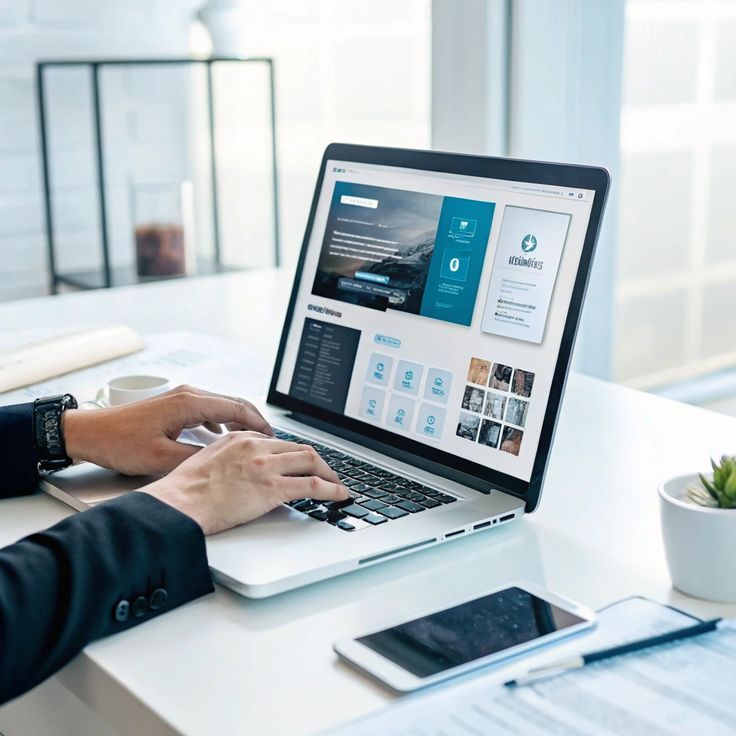
Let’s break it down into manageable steps so you can build your project management portfolio without overwhelm.
1. Identify Your Best Projects
Start by selecting 3 to 5 projects that:
- Had measurable goals
- Demonstrated leadership or innovation
- Solved a unique challenge
- Represent different industries, tools, or teams
Pro Tip: Senior project management consultant Lena Mason says,
“Think like a storyteller. Choose projects that show your growth, not just your wins.”
2. Use the STAR Method to Describe Projects
Keep your descriptions structured using STAR:
- Situation – What was the context?
- Task – What were you responsible for?
- Action – What steps did you take?
- Result – What changed because of your role?
This framework helps you avoid vague writing and makes each project easier to skim and evaluate
3. Focus on Tangible Metrics
It’s not enough to say you “improved team performance.” Quantify it.
For example:
- Reduced budget overrun from 18% to 3%
- Delivered an enterprise CRM integration 2 weeks ahead of schedule
- Boosted stakeholder satisfaction scores from 7.2 to 9+
Recruiters love numbers, they signal competence and clarity.
4. Highlight the Tools and Methodologies You Used
Modern project management isn’t just about people, it’s also about platforms and frameworks.
Mention the tools you used and why you used them. For example:
- Chose Trello over Jira for a short-term marketing sprint due to better visual tracking
- Used Gantt charts via MS Project to manage cross-departmental dependencies
This shows strategy, not just familiarity.
5. Add Client or Peer Testimonials
You don’t need a glowing letter from every manager. A single line of authentic feedback can build serious trust.
Consider:
“Alex kept us on track during a chaotic launch, I always knew where things stood.” – Senior Product Owner
Pro Tip: Always ask for permission to use testimonial quotes, even if anonymized.
6. Include Visuals and Project Snapshots
Humans process visuals 60,000 times faster than text. You don’t need to be a designer—just provide context.
Image ideas:
- Before/after project results
- Gantt chart segments
- Progress dashboards
- Team collaboration screenshots (hide sensitive data)
When appropriate, use visuals to show transformation, not just information.
Choosing the Right Format for Your Portfolio
There’s no one-size-fits-all when it comes to formatting your portfolio. Your presentation should align with your role and audience. Here are the most common and effective formats:
- PDF Portfolio: Great for attaching to job applications. Use tools like Canva or PowerPoint for polished, branded templates.
- Online Portfolio: Perfect for freelancers or project managers with a personal website. Consider using Notion, WordPress, or Google Sites.
- LinkedIn Portfolio: Leverage the ‘Featured’ section to showcase individual projects with summaries, media, or links.
Tip: Ensure your format is mobile-friendly. Many recruiters review portfolios on their phones.

Organizing Your Portfolio with Clarity
Think of your portfolio like a well-run project, it should feel intuitive, structured, and purposeful.
Here’s a simple organizational structure you can follow:
Portfolio Introduction
- Quick summary of your background and specialties
Table of Contents (if PDF or multi-page)
- Makes navigation easy
Project Sections (1–2 pages per project)
- Each with STAR breakdown, visuals, and results
Tool & Framework Overview
- List the software and PM methods you use
About & Contact
- Short bio, certifications, LinkedIn link, and contact info
Use bold headings, icons, and whitespace to help readers scan with ease.
Tailoring Your Portfolio for Different Opportunities
It’s smart to keep a “master” portfolio and create tailored versions for each opportunity.
- Job Interviews: Highlight projects that align with the job posting
- Consulting/Freelance Clients: Emphasize high-efficiency, client satisfaction and ROI
- PM Certification Program Portfolios (e.g., PMP): Focus on methodology, documentation, and governance
Think of your portfolio like a toolbox. You won’t use every tool for every job, but you’ll impress when you show up with the right one.
Common Mistakes to Avoid in Your Portfolio
Avoid these pitfalls that could kill your first impression:
- Too much text: Keep project write-ups short and skimmable
- Lack of metrics: Vague descriptions don’t attract interest
- No visuals: Hard to engage with a text-only format
- Outdated content: All projects should reflect current-level skills
- Missing CTA: Always include a clear next step (e.g., “Contact me” or LinkedIn link)
How to Keep Your Portfolio Updated Efficiently
Update your portfolio every quarter or after major projects. Set a recurring calendar reminder to:
- Archive inactive projects
- Refresh client quotes, results, or stats
- Add new certifications or skills
- Replace visuals with better quality or more recent data
Treat your portfolio like a live document, it grows as your career does.
What Recruiters Actually Look For in PM Portfolios
Based on conversations with hiring managers and recruiters, here’s what separates a strong PM portfolio from a forgettable one:
- A logical structure and brevity
- Clear examples with facts and figures
- Awareness of tools, scope, and adaptability
- Evidence of leadership, not just task completion
“I don’t need to see 20 projects. Show me three that tell a compelling story and I’ll remember you.” – Carlos D., Tech Recruiter
Advanced Tip: Create a ‘Before–After–Impact’ Gallery
This is powerful for product managers, Agile project leads, or those working on transformative projects.
Try this structure:
- Before: What challenge or state was the team or system in?
- After: What’s different now?
- Impact: What measurable result happened? (Product launch stats, process improvements, budget saved, satisfaction scores)
Use this visual storytelling method to compress a project success story into one slide or page that’s easy to scan, great for pitching or interviews.
Wrapping It All Up: Building a Career Asset, Not Just a Document
Your project management portfolio isn’t just a job search too, it’s an ongoing career asset.
It helps you:
- Reflect on your growth
- Communicate your skills with confidence
- Attract new leads, roles, or recognition
- Stand out from the competition with real, personalized value
Whether you’re new to project management or have years under your belt, creating a strong portfolio is one of the smartest professional investments you can make.
Conclusion
To create a project management portfolio that gets noticed, start with the right projects, tell clear stories using the STAR method, and focus heavily on outcomes, tools, and impact. Format it cleanly, keep it updated, and tailor it for specific goals or audiences.
A strong portfolio doesn’t just tell people what you’ve don, it shows them who you are as a leader.
Read also: What are the Five Stages of Career Development?
FAQs-How To Create a Project Management Portfolio
Most professionals can create a draft in 4–6 hours if they already have project information ready. Start with 2–3 projects and build from there.
Yes, but keep details anonymous. Focus on the process, role, impact, and problem-solving—avoid proprietary data.
Digital portfolios are preferred. They’re easy to update, share, and access. Bring a printed summary only if requested.
Use case studies from school, volunteer work, or simulations. The key is showing your approach and thinking.
Reach out to former teammates, check project dashboards, or review old reports. Even estimated or range-based metrics are better than none.